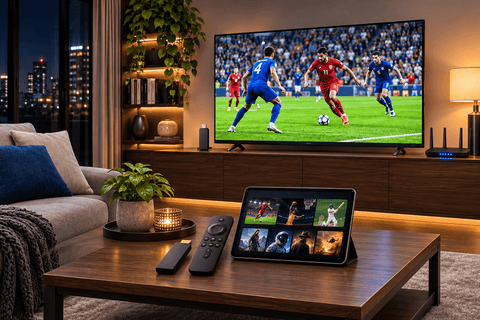
Amazon sells two 4K streaming sticks that look almost identical: the Fire TV Stick 4K and the Fire TV Stick 4K Max. Both are good — but they are not the same. Here is what actually changes between the second-generation models (released in 2023), and who should buy which.
Quick comparison
| Fire TV Stick 4K | Fire TV Stick 4K Max | |
|---|---|---|
| Processor | Quad-core 1.7 GHz | Quad-core 2.0 GHz |
| Storage | 8 GB | 16 GB |
| Wi-Fi | Wi-Fi 6 | Wi-Fi 6E |
| Video | 4K, Dolby Vision, HDR10+ | 4K, Dolby Vision, HDR10+ |
| Audio | Dolby Atmos | Dolby Atmos |
| Ambient Experience | No | Yes |
Speed: the Max feels snappier
Both sticks have 2 GB of RAM, but the 4K Max has a faster processor. In daily use that means menus open a bit quicker and heavy apps load faster. If you mostly watch Netflix or YouTube, the regular 4K is already fast enough.
Storage: double on the Max
8 GB fills up quickly once you install a few big apps and games. With 16 GB, the 4K Max gives you much more room — useful if you like to install many apps.
Wi-Fi: 6E only matters with a 6E router
The 4K Max supports Wi-Fi 6E, which can use the less crowded 6 GHz band. You only get that benefit if your router also supports Wi-Fi 6E. With a normal router, both sticks will perform similarly.
Picture and sound: identical
Both play 4K with Dolby Vision, HDR10+ and Dolby Atmos. You will not see a difference in picture quality between them.
Ambient Experience
The 4K Max can show art, photos and widgets (such as weather or calendar) on your TV when you are not watching. It is a nice extra, but not a reason on its own to pay more.
Which one should you buy?
- Buy the Fire TV Stick 4K if you mainly use popular streaming apps and want the best value.
- Buy the Fire TV Stick 4K Max if you install many apps, want the fastest menus, or have a Wi-Fi 6E router.
- If your TV is not 4K, a cheaper HD model may be all you need.
Prices change often and both sticks are frequently discounted during sales. Compare current prices before you buy.
FAQ
Can I use a 4K stick on a 1080p TV?
Yes. It will automatically output 1080p. You just will not get the benefit of 4K.
Does the 4K Max overheat less?
Not noticeably. Both stay cooler when you use the HDMI extender and the original power adapter.
VireonTV
24-hour free trial with no card needed, plans from €9.99 a month, a 7-day refund window and free setup help for Smart TV, Fire TV, Android and iPhone.
Start the free trial →Disclosure: ActiveDone is affiliated with VireonTV and may earn a commission from sign-ups.