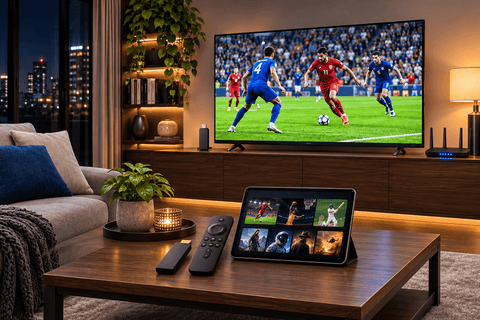
A Fire TV Stick is a full computer packed into something the size of a USB drive — and it has no fan. Getting warm is normal. But an on-screen overheating warning, sudden restarts or heavy lag after 20–30 minutes of streaming mean something needs fixing. The good news: almost every case comes down to airflow, power or background apps.
Signs your Firestick is overheating
- A message on screen saying the device is overheating.
- The stick is too hot to hold comfortably.
- Apps freeze or close on their own after a while.
- The remote stops responding, or the picture stutters.
Fix 1 — Use the HDMI extender
Plugging the stick straight into the TV traps it against the warm back panel. Use the short HDMI extender cable that came in the box (any 10–15 cm extender works) so the stick hangs in open air, away from the TV’s vents.
Fix 2 — Use the original power adapter
Powering the stick from the TV’s USB port often does not give it enough power, which makes it work harder and run hotter. Plug the original adapter into a wall outlet instead.
Fix 3 — Close apps running in the background
- Go to
Settings → Applications → Manage Installed Applications. - Open an app you are not using.
- Choose Force stop.
- Uninstall apps you have not opened in a month.
Fix 4 — Clear the cache of heavy apps
Streaming apps build up large caches over time. In the same menu, select the app and choose Clear cache. Do not choose “Clear data” unless you want to sign out and reset the app.
Fix 5 — Lower the video resolution
If your TV is not 4K, go to Settings → Display & Sounds → Display → Video Resolution and choose 1080p. Less decoding work means less heat.
Fix 6 — Restart it regularly
Press and hold Select + Play/Pause on the remote for about 5 seconds until the stick restarts. Doing this every couple of days clears memory that keeps the processor busy.
Fix 7 — Give it a break
Turn the TV off at night instead of leaving an app streaming in the background, and keep the area around the TV well ventilated. If the stick still overheats in a cool, open spot with the original adapter, the hardware may be faulty — contact Amazon or the seller about a replacement.
FAQ
Is it dangerous if my Firestick gets hot?
Warm is normal. The stick will slow itself down or shut off to protect itself before damage happens, but repeated overheating can shorten its life.
Does a USB cooling fan help?
A small fan can help in tight spaces, but the HDMI extender and the original power adapter fix most cases on their own.
Will a factory reset fix overheating?
Only if a misbehaving app is the cause. Try fixes 3 and 4 first — they are faster and you keep your apps.
VireonTV
24-hour free trial with no card needed, plans from €9.99 a month, a 7-day refund window and free setup help for Smart TV, Fire TV, Android and iPhone.
Start the free trial →Disclosure: ActiveDone is affiliated with VireonTV and may earn a commission from sign-ups.